
Projects, buildings and floors
Register several sites. Split each into buildings, blocks, floors and work phases, with a budget at every level and progress tracking.
NovaTech CMPS connects engineers, the site, the warehouse, suppliers, purchasing and accounting in one application, and shows management the true cost and the cost to complete, per project, building, floor and phase.
12
integrated modules
7
roles with approvals
3
languages, with right-to-left Arabic
4
levels of cost control: project, building, floor, phase
Stop chasing WhatsApp messages, spreadsheets and paper delivery notes. Every question below is one click away.
What materials does each site need?
What has been requested, approved, ordered and delivered?
What has not been purchased or received yet?
Which supplier gives the best overall offer?
How much has each floor and phase cost?
How much budget is left?
Which supplier invoices are unpaid?
How much more money is needed to finish?
Twelve connected modules replace the patchwork of messages, spreadsheets and paperwork.
Register several sites. Split each into buildings, blocks, floors and work phases, with a budget at every level and progress tracking.
Engineers request iron, cement, sand, pipes and more from the phone: quantity, specification, unit, date, floor and phase. Urgent or scheduled.
Calculate needs from measurements with waste allowance, compare to stock, and spot shortages and excess before buying.
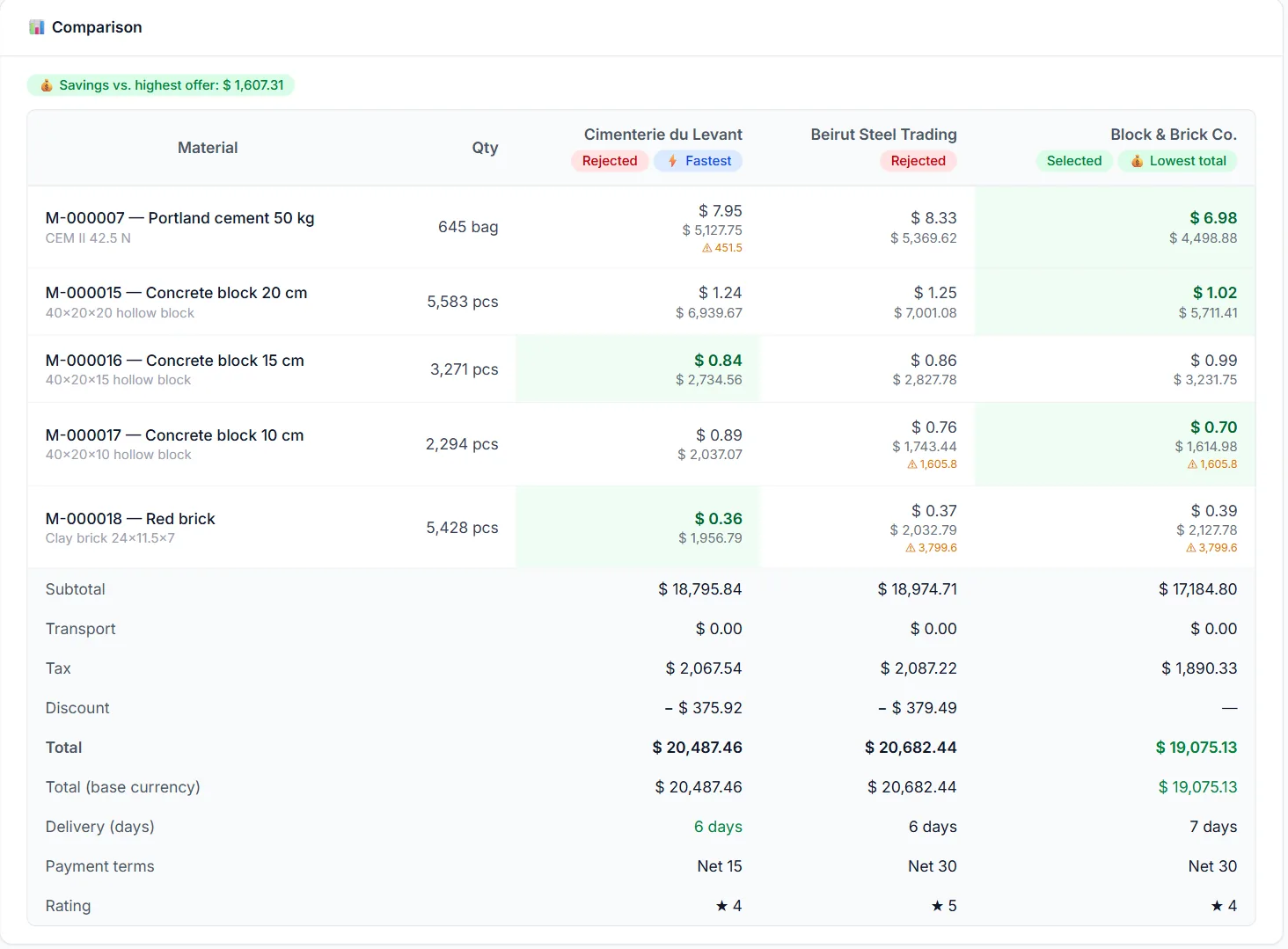
Raise one request for quotation for several suppliers, record each offer with prices, transport, tax and terms, and compare total cost, delivery time and rating side by side.
Approved orders with expected dates, partial deliveries, back-orders, overdue reminders, and guards against duplicate or unauthorized purchases.
The storekeeper or engineer confirms what really arrived. Shortages, damaged and rejected goods are recorded, and stock updates automatically.
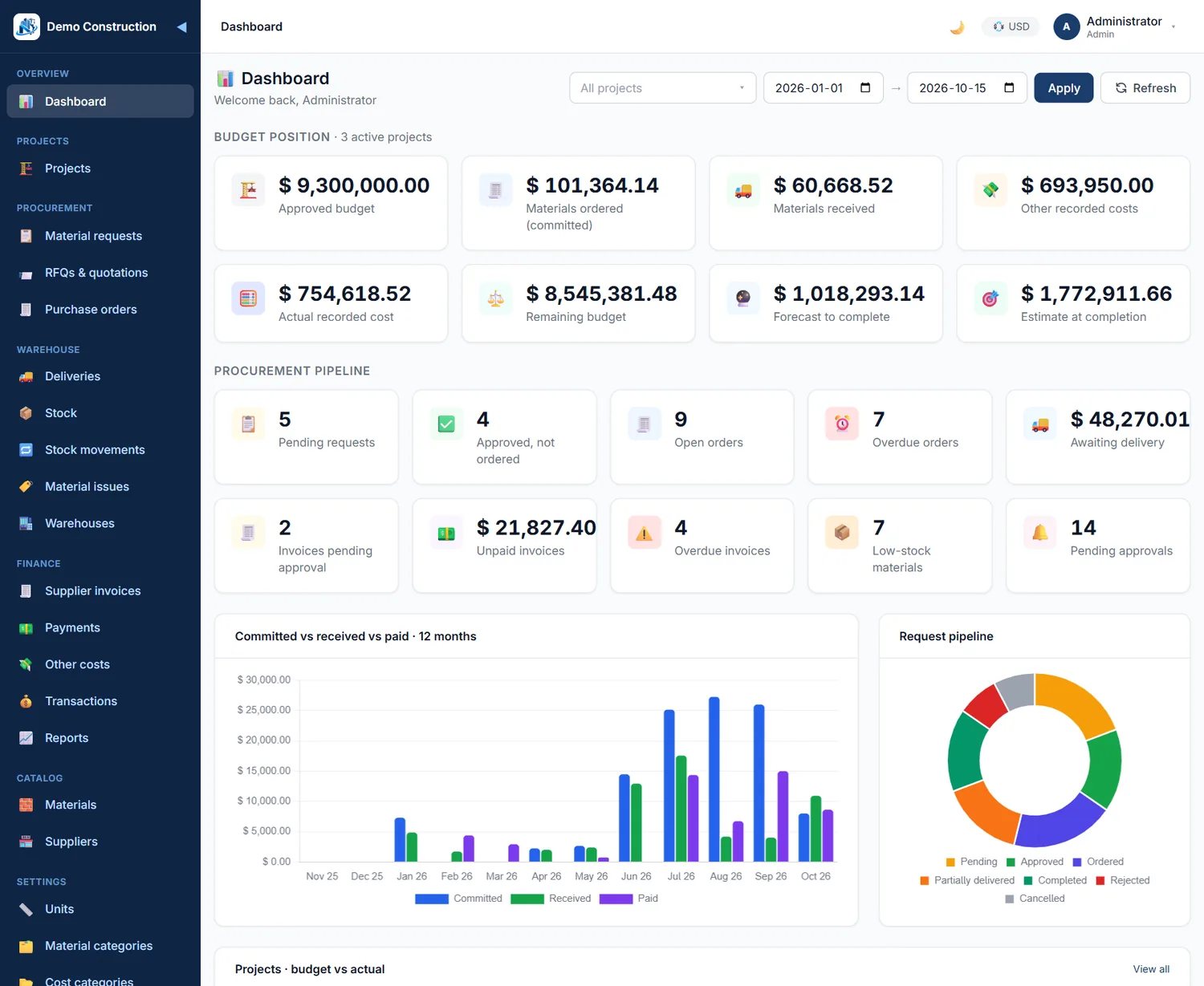
Budget, committed, received, other costs, actual cost, remaining budget and forecast to complete for every project, building, floor and phase.
Supplier invoices matched to the order and the delivery, approvals, advances, balances due, taxes, discounts and payment status.
Twenty-one reports and a live management dashboard, exportable to Excel and PDF. Accounts payable ageing and purchasing savings included.
Engineer, project manager, procurement, storekeeper, accountant, management and administrator, each with their own permissions and approval steps.
Stock per site store and central warehouse, movements, transfers, adjustments, and materials issued to a floor and phase with waste tracked.
Run many projects and sites at once, with several currencies and exchange rates, and one consolidated view for management.
Management sees the real position of every floor at a glance, and never confuses cash paid with project cost. Orders not yet delivered, unpaid invoices and future estimates are kept apart from what has actually been spent.
Building A — Floor 3
Illustrative figures
Actual cost counts what was received and recorded. Orders still on the way, unpaid invoices and forecasts are tracked separately.
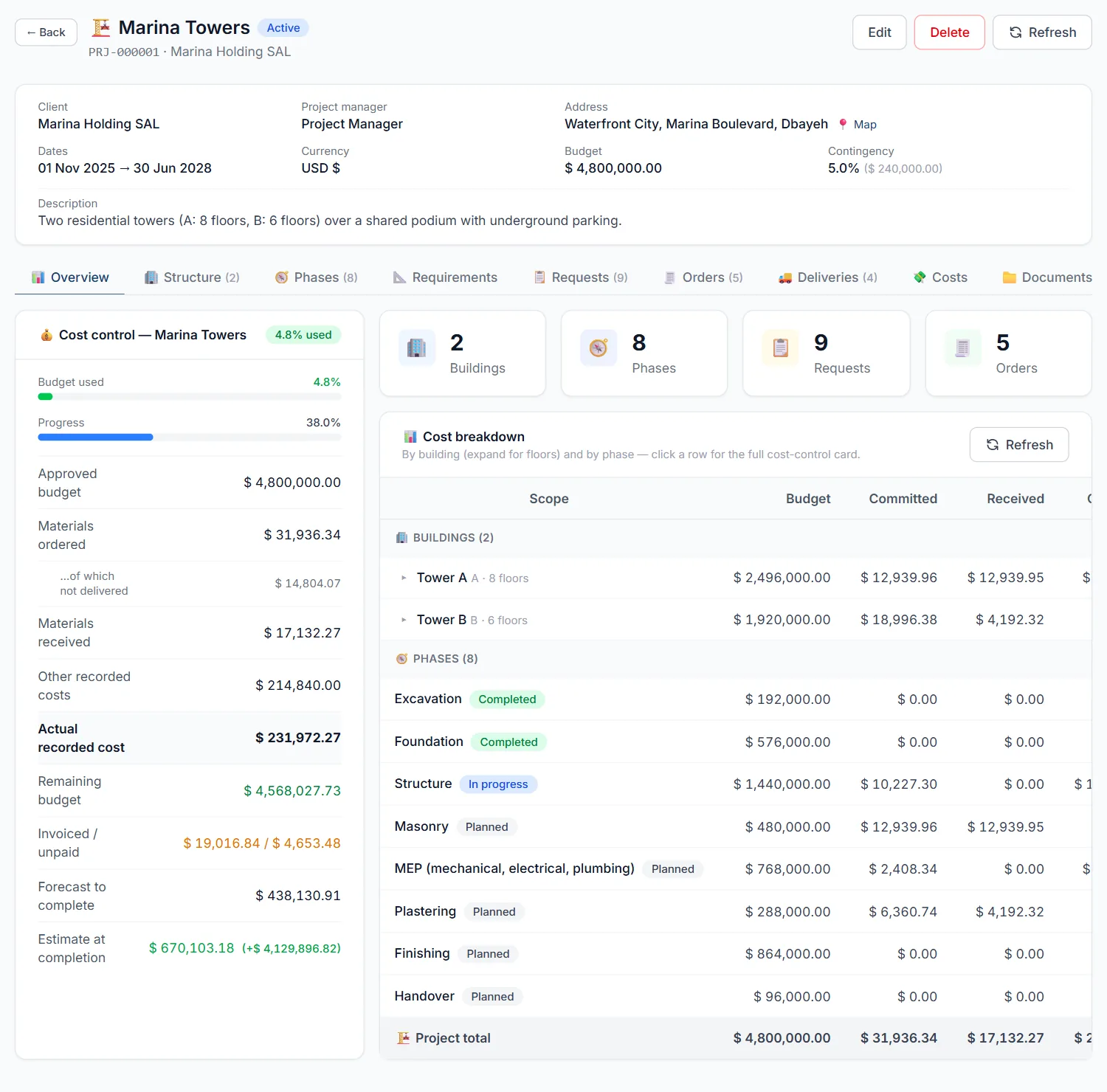
Define the materials each floor and phase requires, calculate quantities from measurements, and compare with stock and what is already ordered.
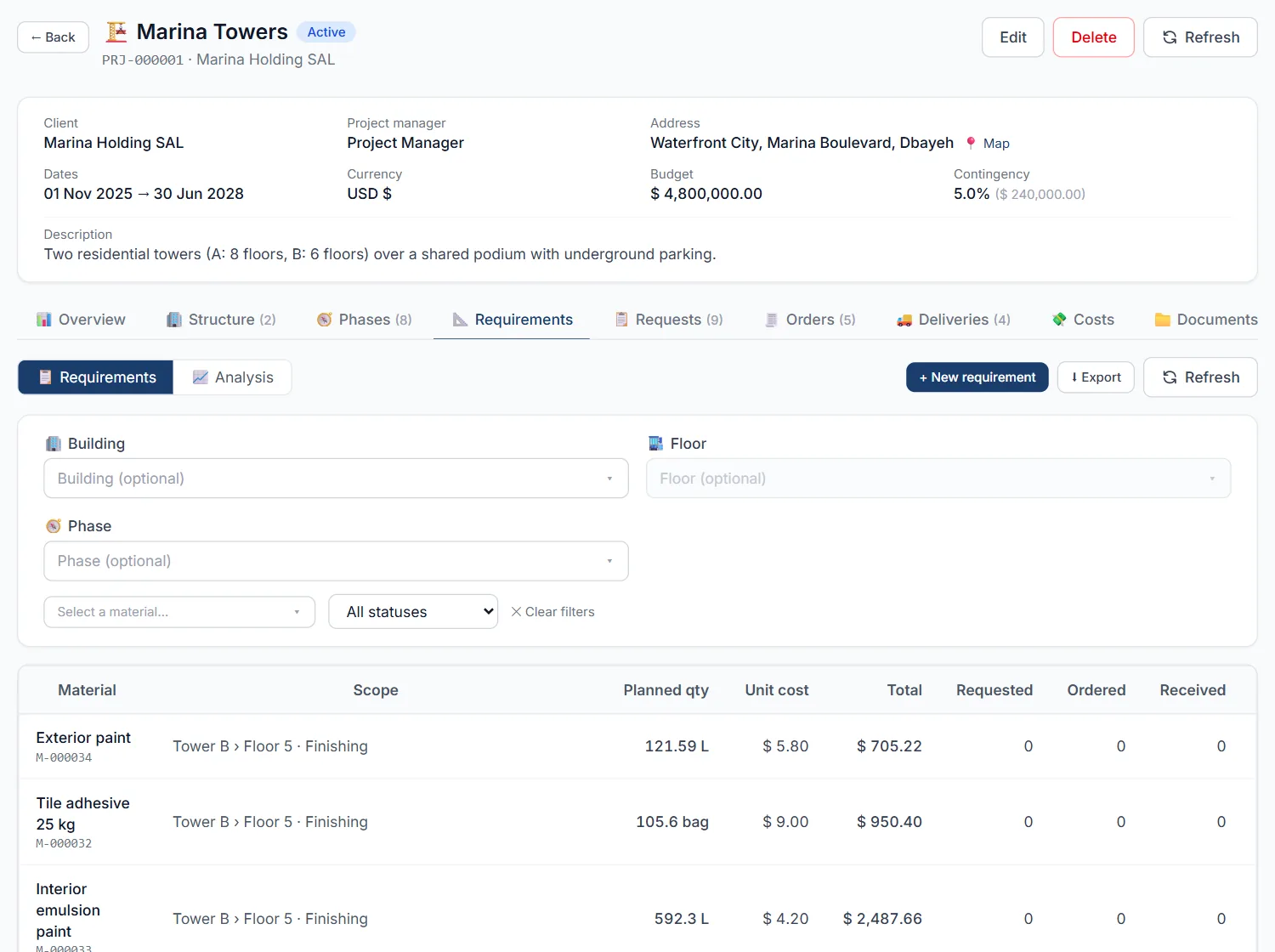
Raise one RFQ for several suppliers and see every offer in a single matrix, with the best price, the fastest delivery and the saving highlighted.
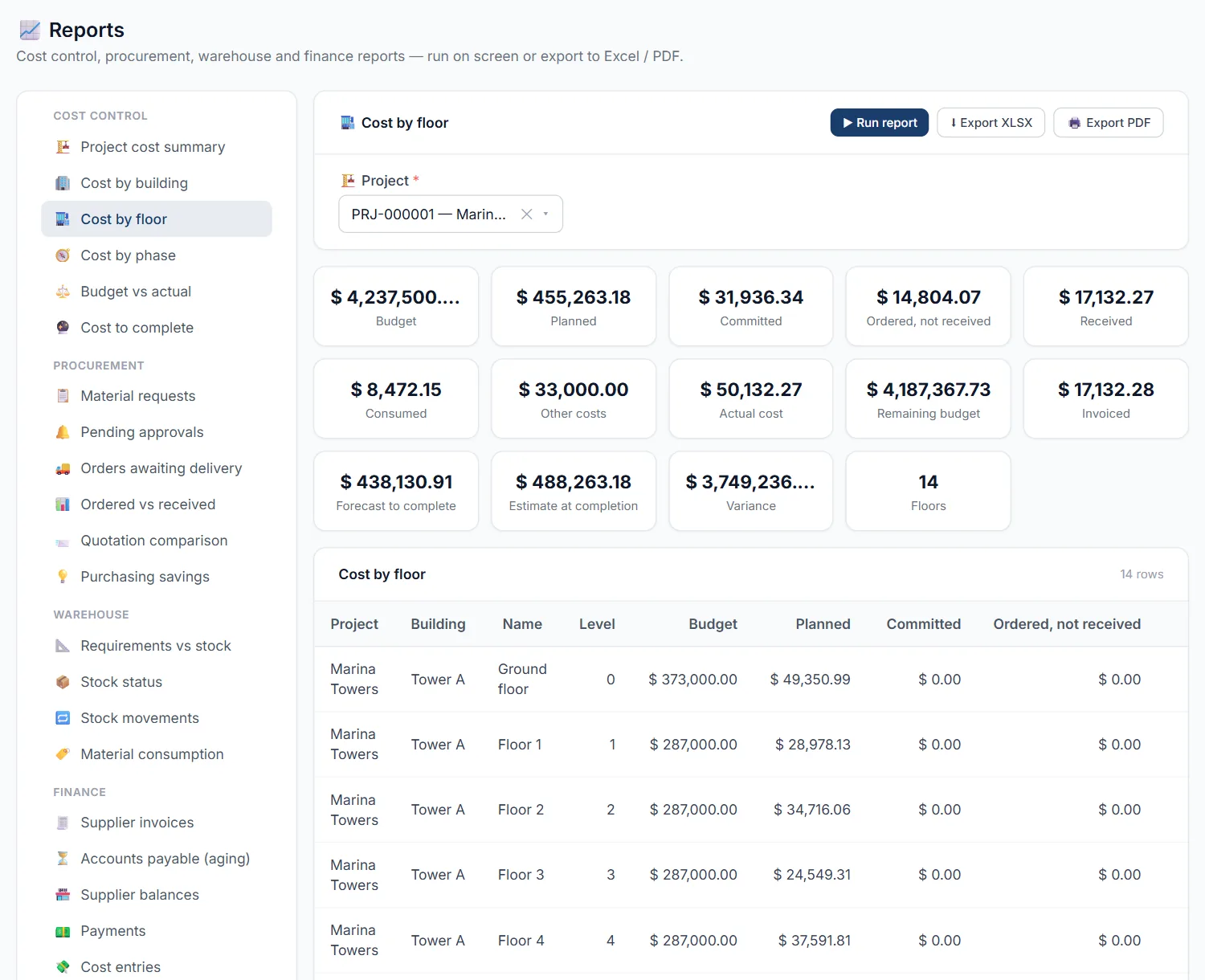
Compare delivered, accepted, rejected and damaged quantities against the purchase order and the delivery note. Stock and order balances update the moment the receipt is verified.
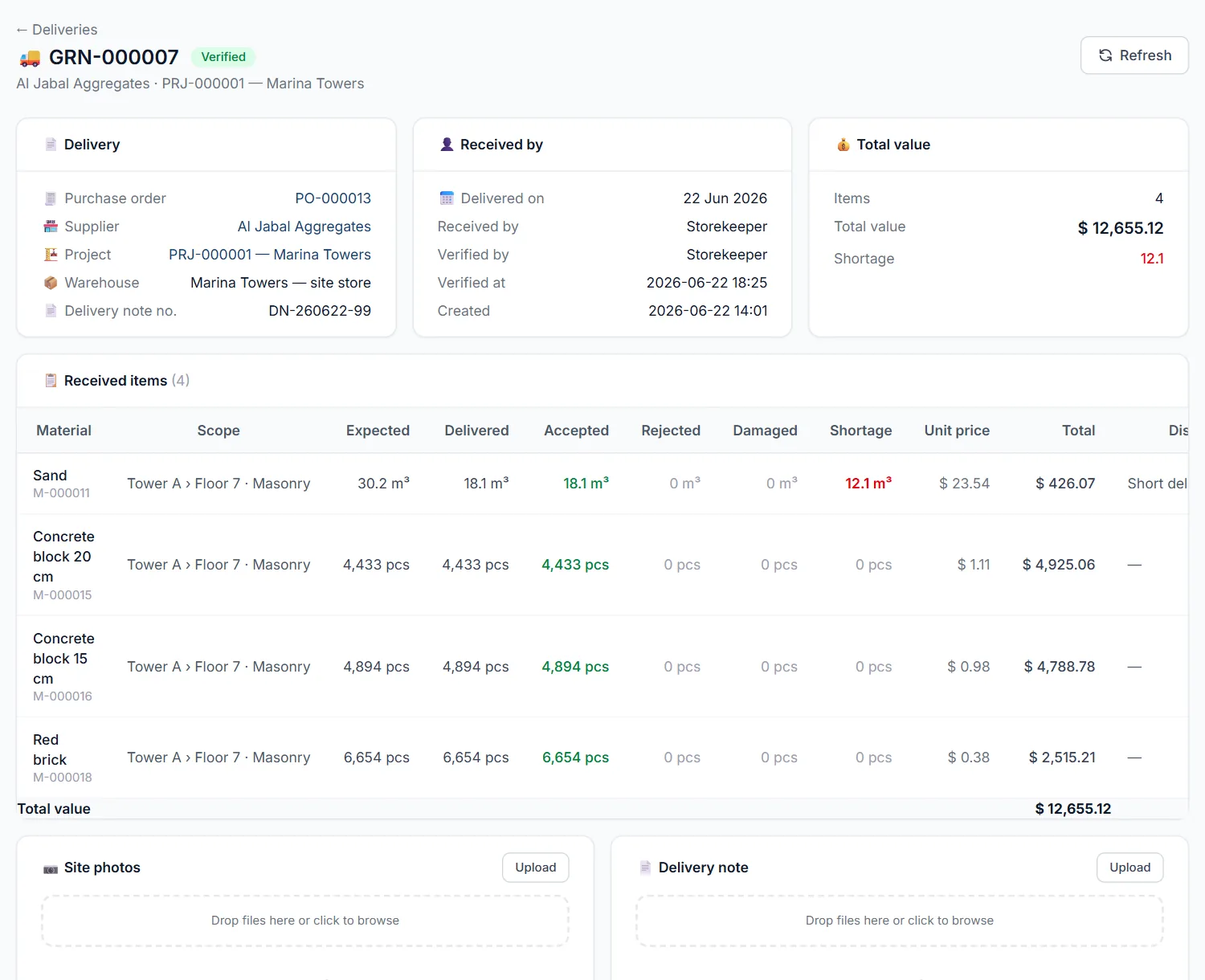
Accountants check each supplier invoice against what was ordered and received before it is approved, then pay in full, in part or in advance.
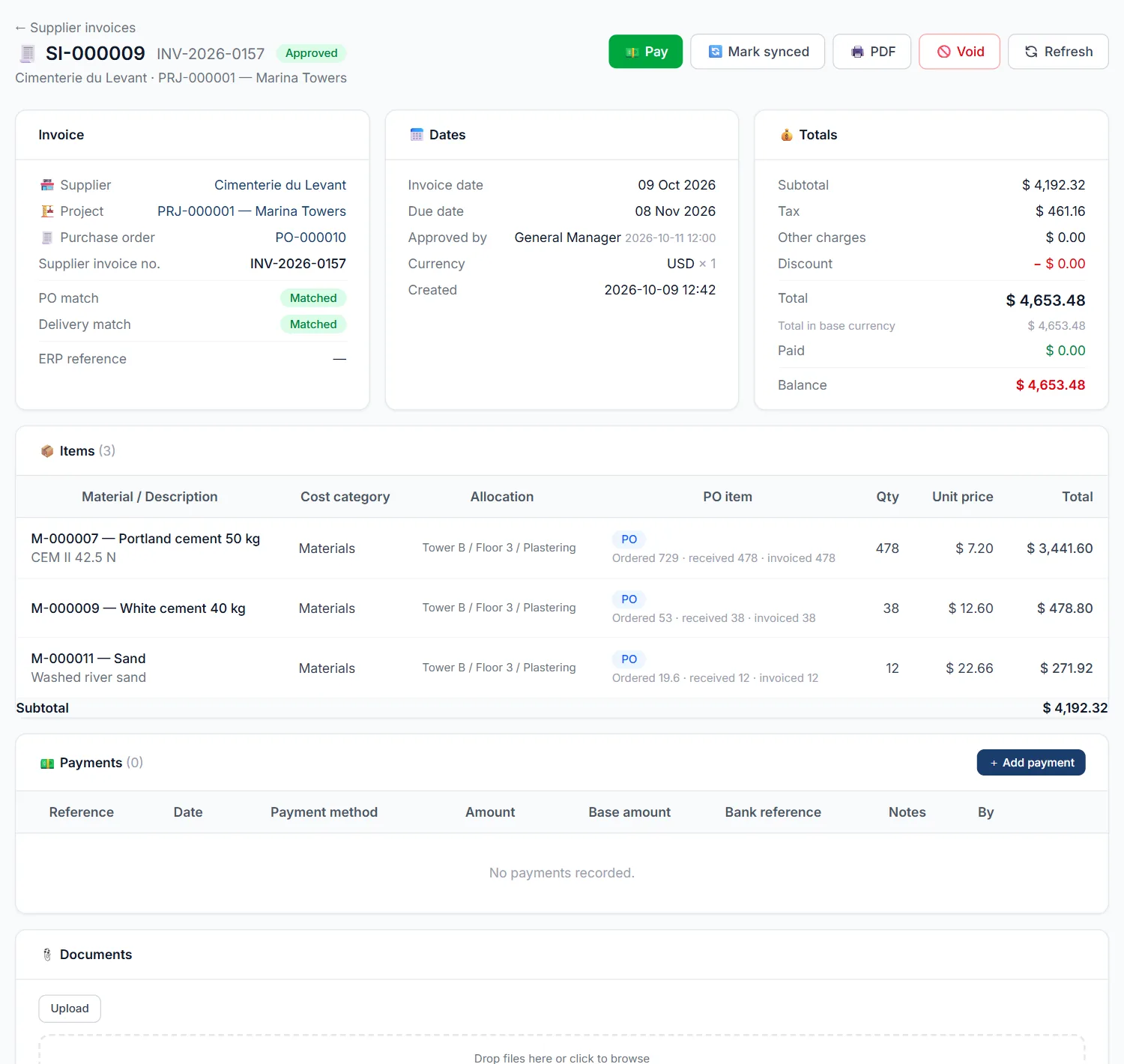
Cost by building, floor and phase, budget against actual, cost to complete, orders awaiting delivery, purchasing savings and accounts payable, ready for Excel and PDF.
The same clean interface on every screen, built for people who are busy on site.
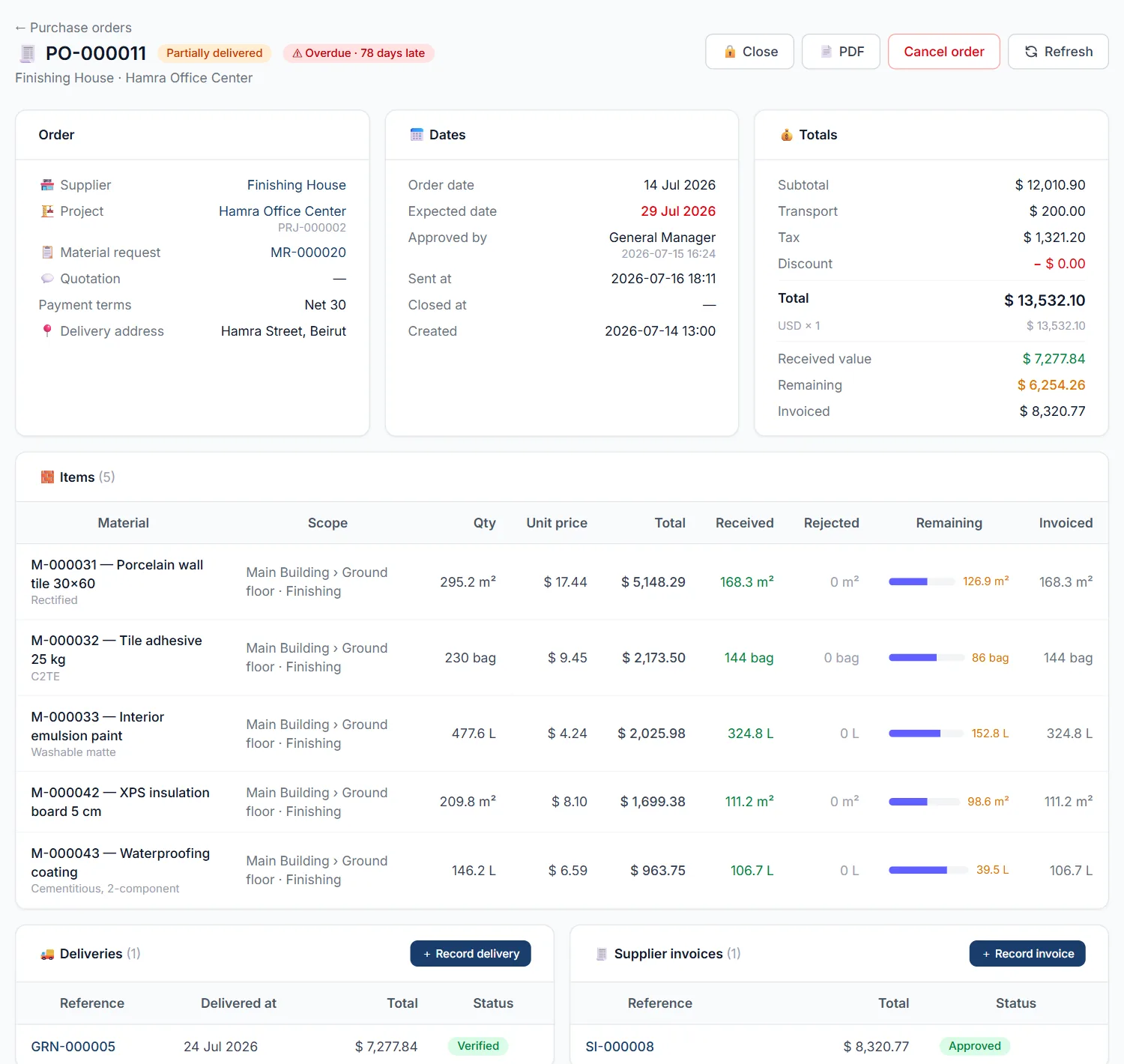
Status, received value, remaining value and overdue flags at a glance.
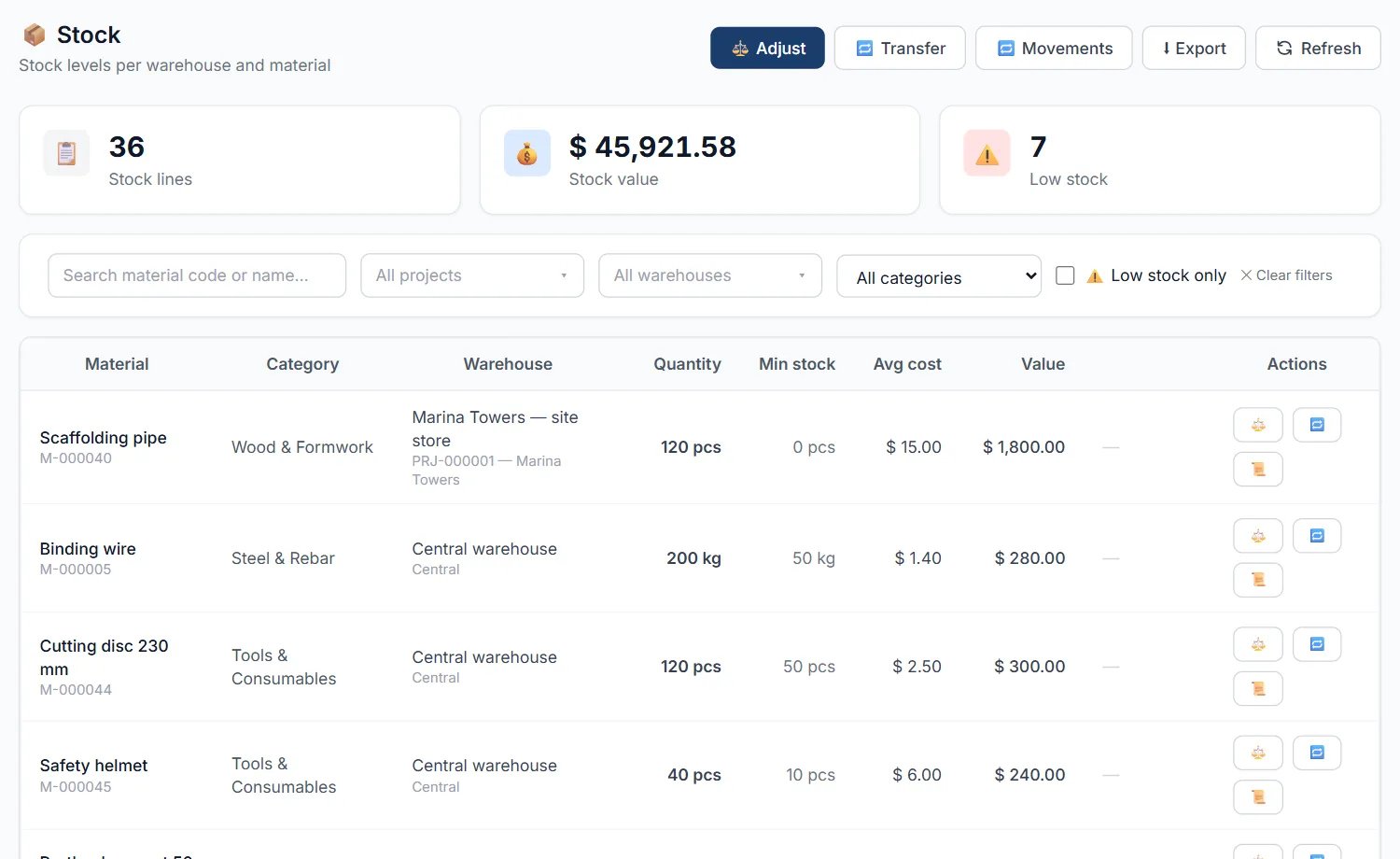
Quantities, average cost and low-stock alerts for every site store.
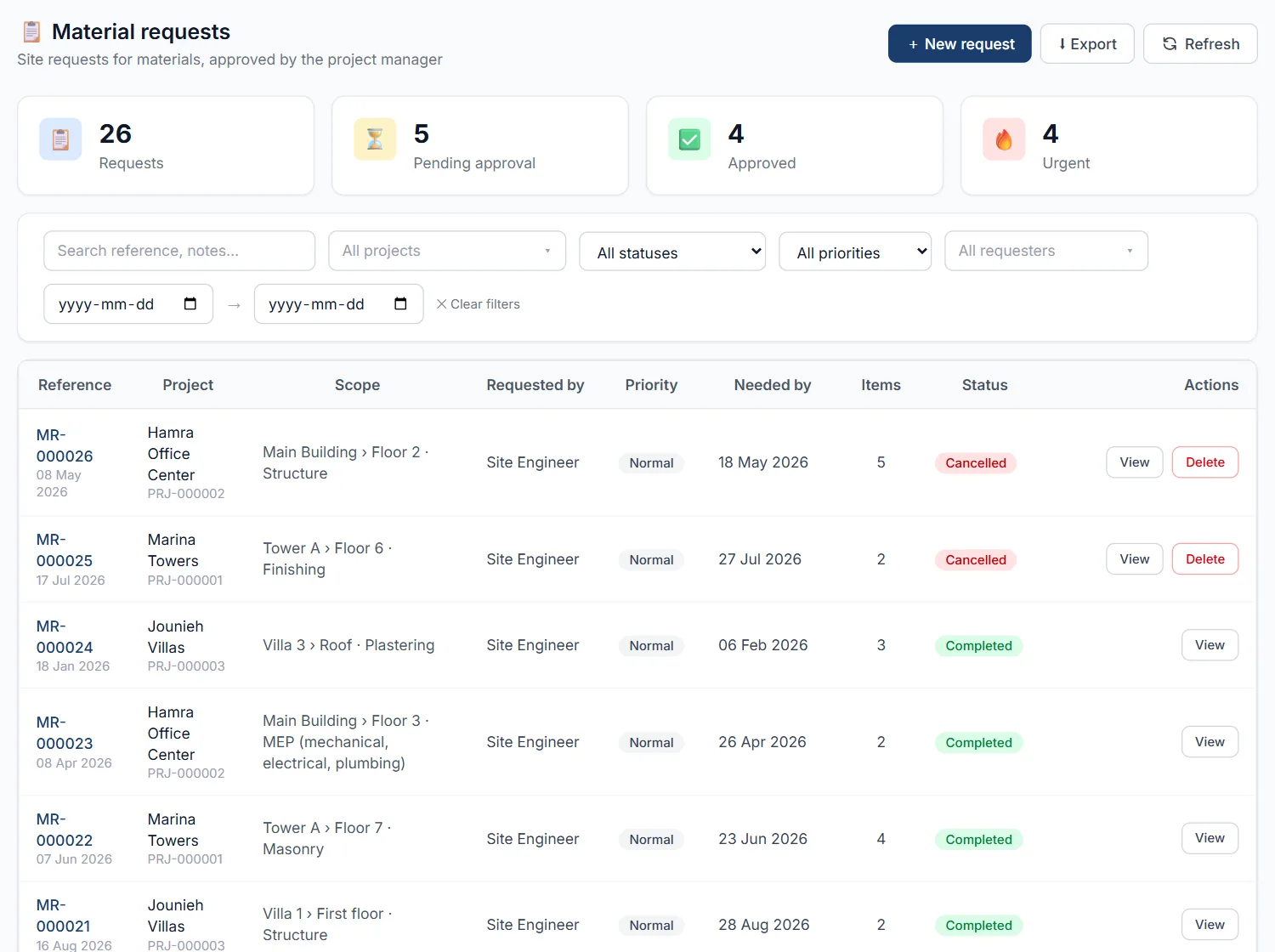
Pending, approved and urgent requests with their progress to delivery.
The example below follows 500 iron bars for Floor 3 of Building A, from request to payment.
500 iron bars for Floor 3, Building A, from the phone, marked urgent.
It compares with the approved requirement and what is already in the store.
Quantities, priority and budget are reviewed, and the request is approved.
An RFQ is raised for several suppliers, and their offers are compared side by side.
Created after the authorized approval, with a budget check.
The commitment appears immediately in the cost of Floor 3.
450 bars arrive, the 50-bar shortage is recorded.
Stock rises by 450 and the open order balance shows 50 outstanding.
Order, delivery, invoice and payment are reconciled.
The actual cost of Floor 3 and the remaining budget, instantly.
Each person sees and does only what their job requires.
Requests materials and confirms technical requirements and deliveries on site.
Reviews quantities, priorities and budgets, and approves requests.
Obtains quotations, compares them and prepares purchase orders.
Records receipts, stock movements and materials issued to the floors.
Checks invoices, costs and payments, and reconciles them to orders.
Approves spending and monitors budgets and cost to complete.
Manages users, permissions, projects and system settings.
Every approval, change, order, receipt and payment is stamped with who did it and when.
Engineers and storekeepers work from the phone. Install it on the home screen like an app, with big touch targets and forms that open as simple sheets.
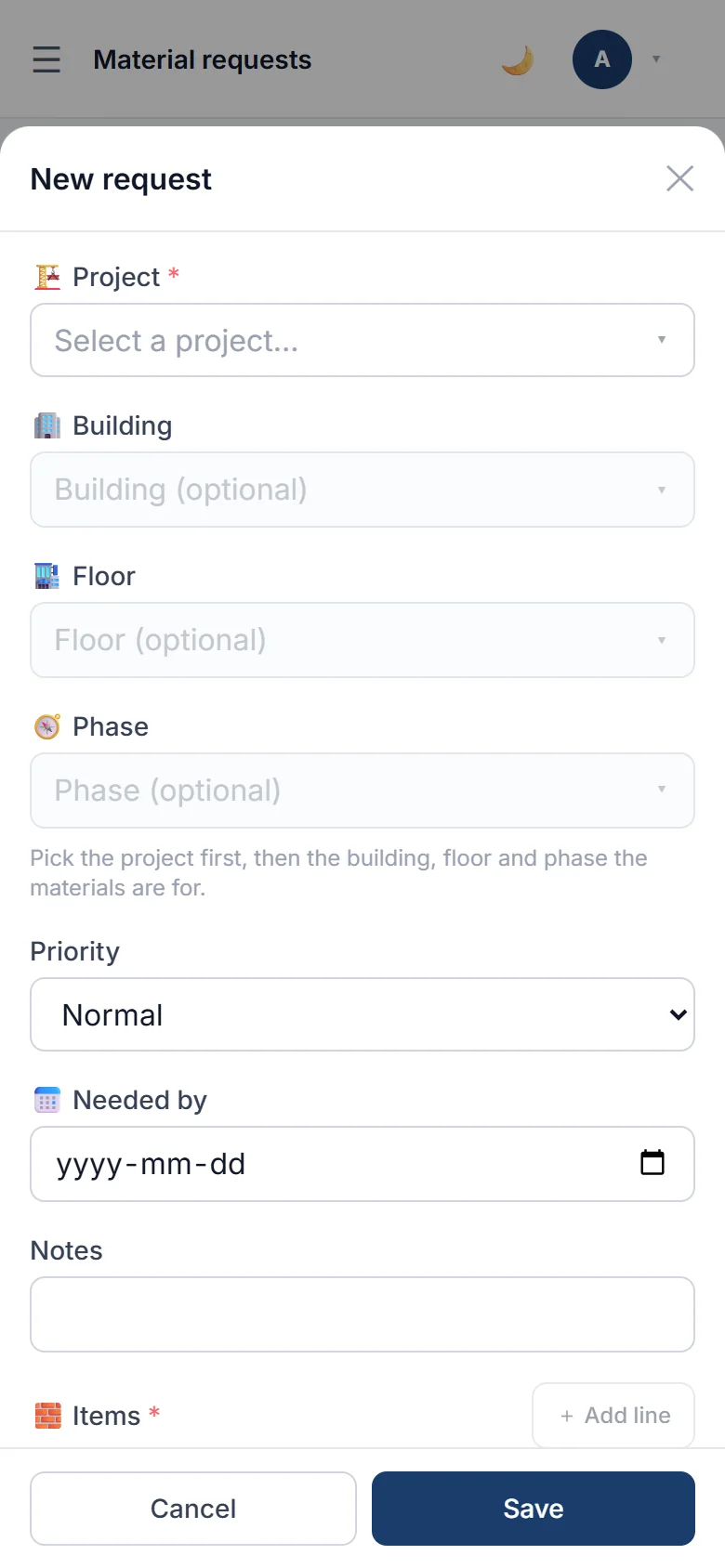
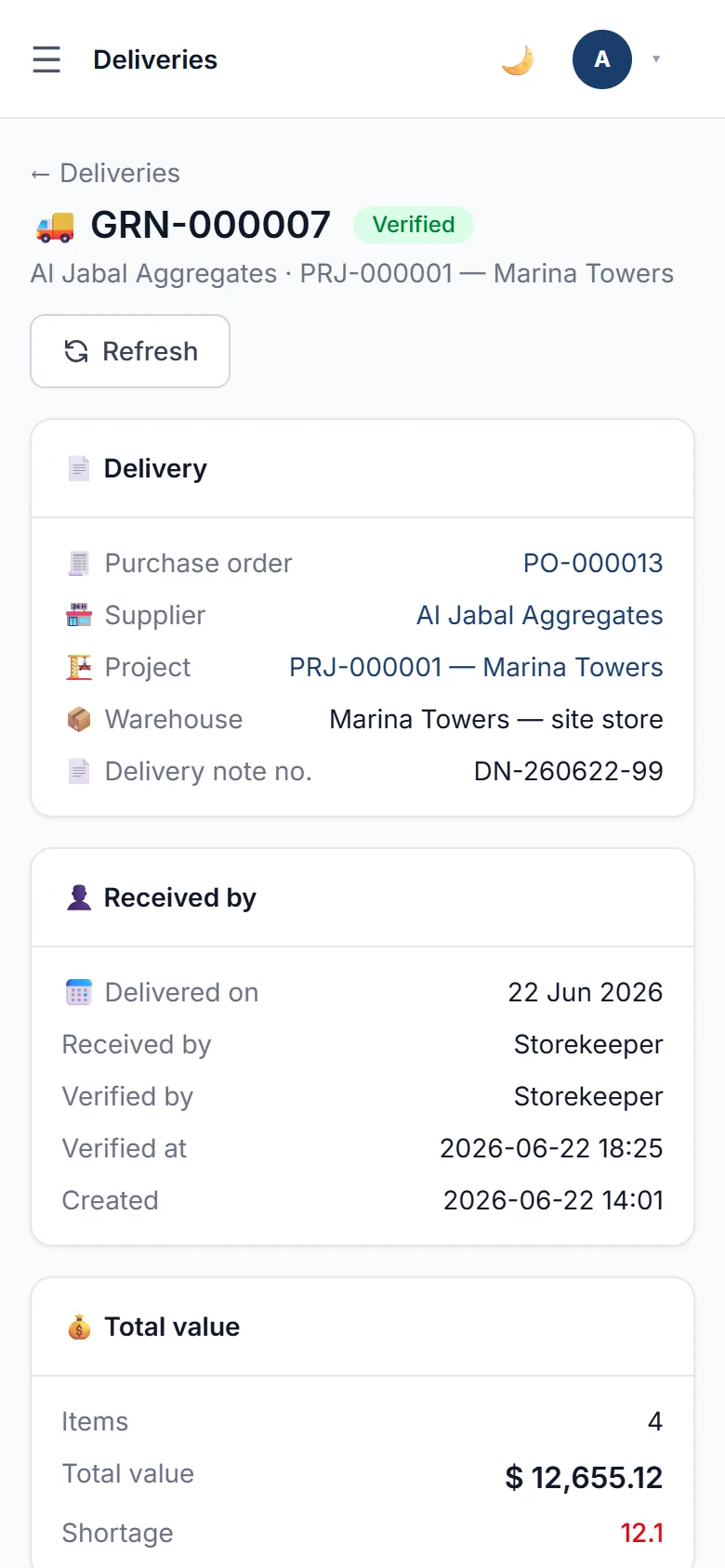
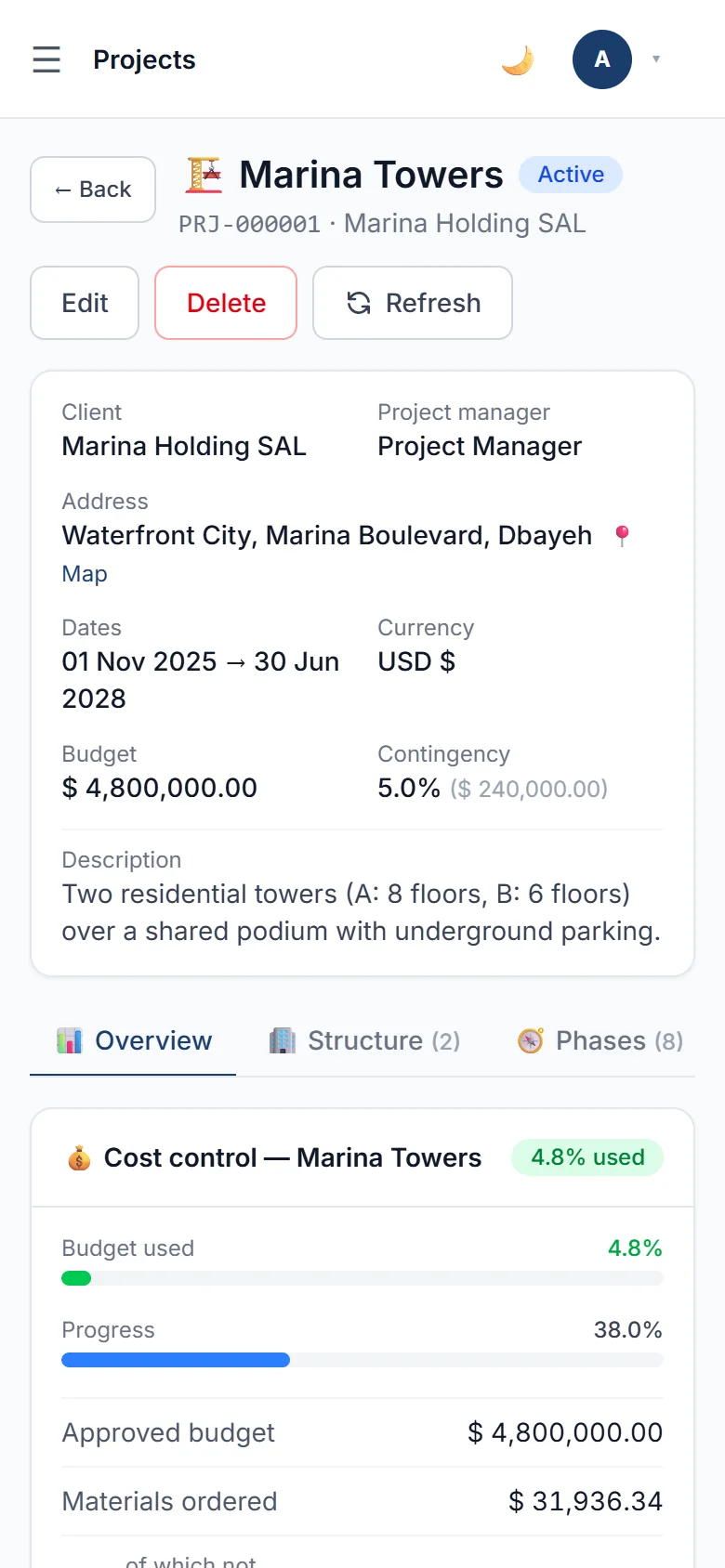
Built-in safeguards keep purchasing honest, and your numbers flow to the people who need them.
Orders, invoices and costs are approved by the right people before they count.
Who approved, changed, ordered, received and paid, and when, on every record.
Duplicate purchase orders for the same request and duplicate supplier invoices are blocked.
Warn or block when an order would push a floor, phase or project over budget.
Several currencies with exchange rates, taxes, discounts and additional charges.
Invoices, payments and journal lines to Excel or CSV, or pushed to your ERP through an API.
Tell us about your sites and how you buy today. We will walk you through the platform and set up a demo with realistic data.
We usually reply within one working day.